
ARCHITECTURAL DRAWINGS: 5 REASONS TO USE CAD DRAFTS
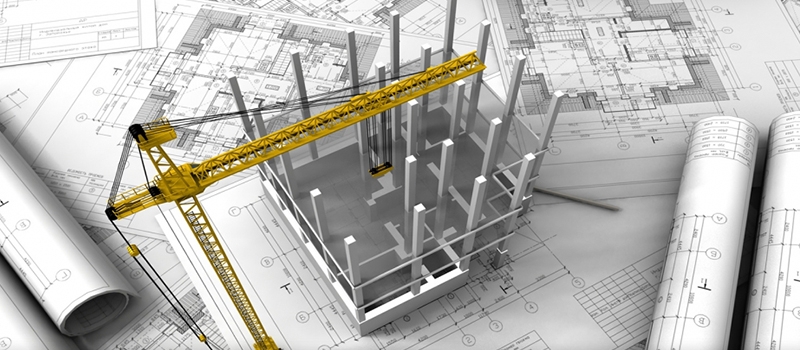
Architectural drawings in CAD programs accelerate the project development process several times while making it more accurate. Moreover, top-notch digital drafts are suitable not only for technical purposes but for presenting ideas to clients as well.
Contents:
- Updated site plans for surveys
- Detailed construction plans
- Digital elevation drawings
- Calculating the area
- 3D technologies based on CAD
- Why architects use CAD FAQ
Let’s say, an Architect wants to take part in the tender for a large-scale project but the preparation period for the presentation is very short. He used to rely on the good old hand drafting, but at that pace, all necessary drafts simply wouldn’t be ready until the deadline. Besides, the project is quite promising, so the Architect is not the only candidate for the possibility to implement it. He needs to convince the clients he’s the best choice at the presentation, which is not so simple to do with difficult to understand black-and-white technical drawings.
That’s when digital drawing can help to effectively deal with troublesome situations like this and provide a high-quality result on time. Find out why knowing the types of architectural drafting pays off for modern Architects.
#1. Getting Updated Site Plans for Survey Purposes
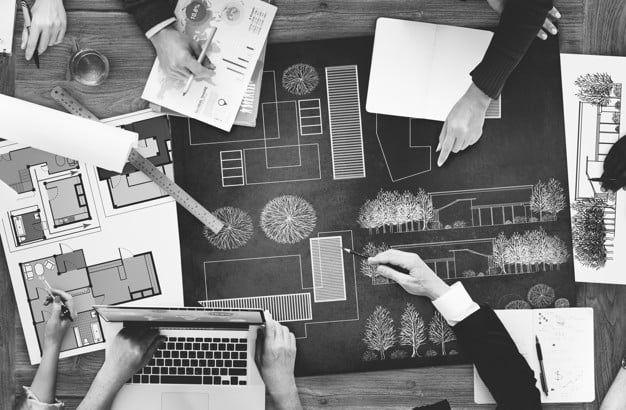
All architectural projects begin with the exploring of the location of future construction. For this, Architects use a general view, which is called a site plan. Manual site drawings are based on old topographic maps of the area that are rarely updated and often low-quality. On the other hand, CAD drawing services offer more advanced technologies that increase the quality and accuracy of the result, and deliver it in a CAD file format the whole team can open. In particular, quadcopter photographs of locations can be used as the base for digital architectural drawings, which makes them more detailed and easy to make.
#2. Developing Detailed Construction Plans for the Working Process
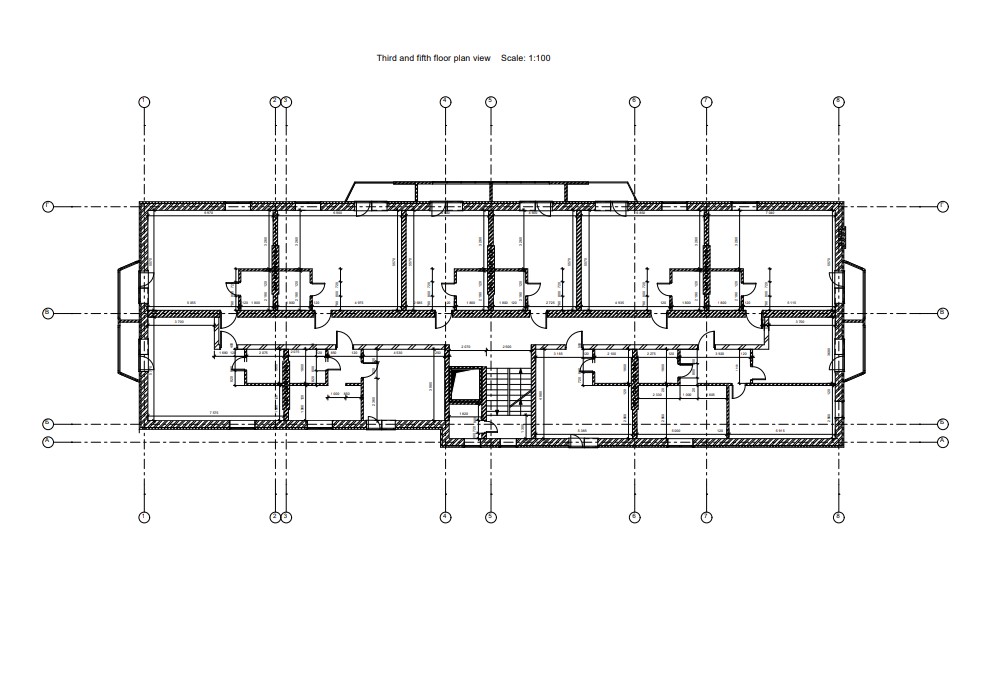
The next step is the development of working architectural drawings that will be used during the construction process. This package of drafts includes all key types of views such as cross-section, floor plans, detail drawings, and basic layout plans. The advantage of CAD architectural drafting over the manual one is that the digital software allows making all calculations 100% accurate. All parameters can be calculated using programed formulas, as well as transferred from one measurement system to another if necessary. This automation function of computer-aided design software minimizes the chances of mistake and makes Architects’ job much easier.
Want to know more about CAD services our studio provides? Check out this archive with projects examples and learn more.
#3. Showing Top-Notch Digital Elevation Drawings for a Project Presentation
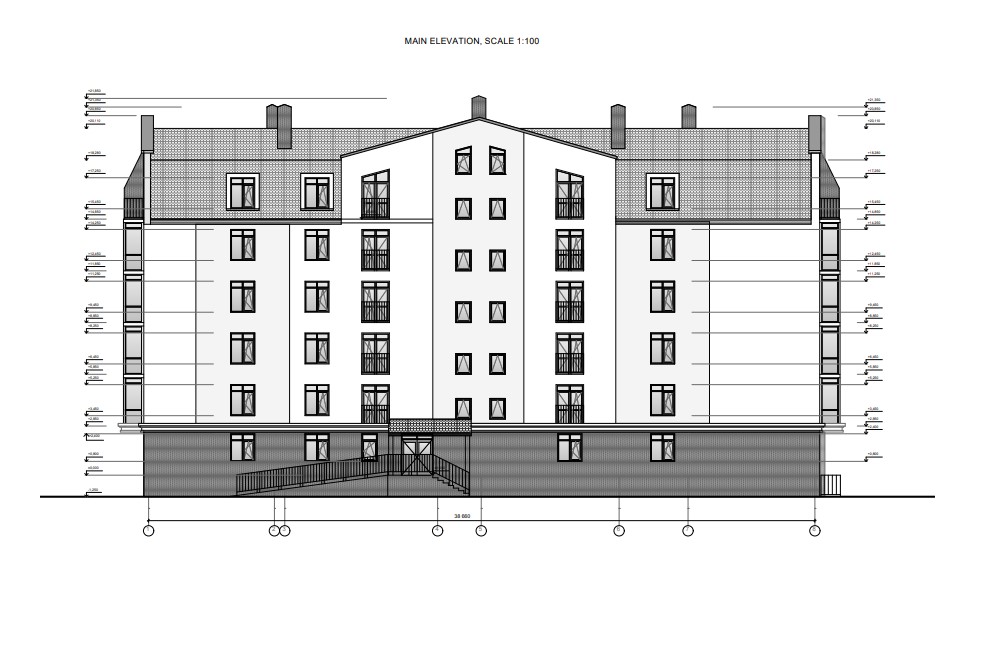
After the project development is finished, it must be approved by clients at the presentation to move on to the next stage. Working drawings are often technical, therefore incomprehensible to non-professionals who simply do not understand the ideas of the Architect and what the final result should look like. The advantages are set out one by one in 7 reasons to use CAD. However, high-quality color digital drafts can not be compared with monochrome hand-drawings in terms of visual clarity. In particular, a well-made CAD elevation view can present the exterior of all the facades of construction with just as much detail as 3D visualization.
#4. Using CAD Drafts for Calculating the Accurate Amount of Materials
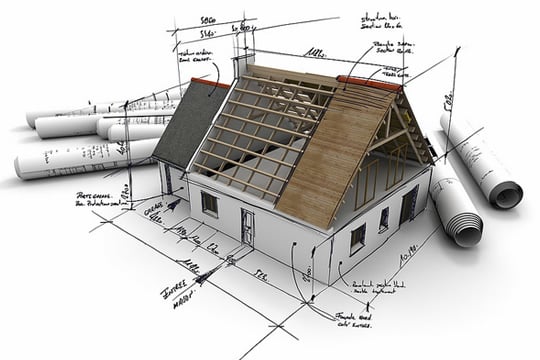
After the approval of the architectural project, the implementation phase begins, which always requires budget planning and material procurement. CAD software is especially useful in these matters as it automatically calculates the required number of materials needed for the construction based on the architectural drawings. This option helps to plan all spendings beforehand and avoid a shortage or surplus of resources during the building process. Besides, the automaticity of all calculations excludes the human factor and prevents the majority errors, which makes the whole preparation smoother and faster.
#5. Trying Advanced 3D Technologies Based on CAD Architectural Drawings
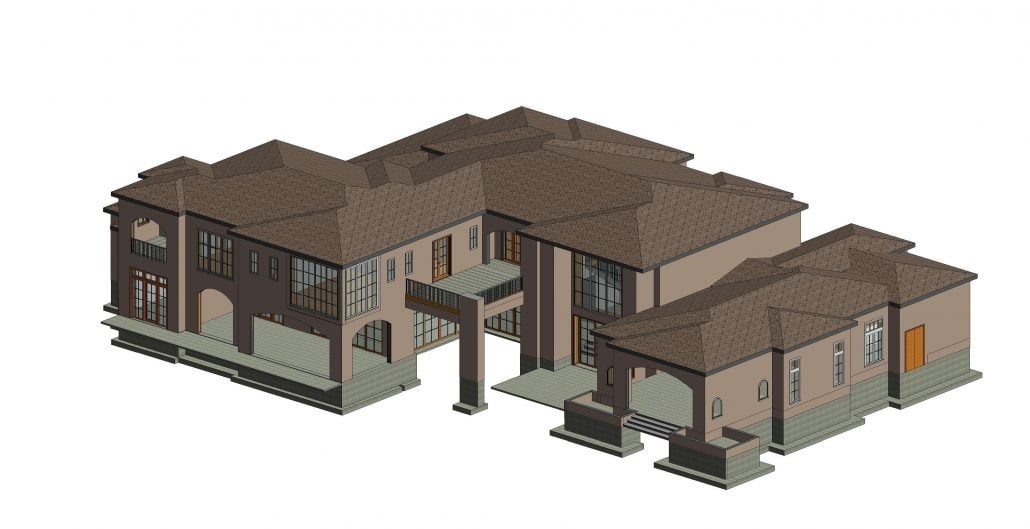
The leading architectural companies are already using the more advanced 3D technologies in their projects. Most of them are compatible only with CAD drafts, which are the basis for creating 3D and BIM objects. For example, a 2D floor plan can be easily turned into a 3D floor plan or even a tour, which will greatly brighten up the project presentation. Moreover, during the construction stage, contractors can try BIM tools based on CAD architectural drawings and use them as detailed virtual guides for more flawless workflow.
CAD architectural drawings are reliable assets to speed up the project development process and improve the quality of the result at the same time. One of the main reasons to use CAD services is automatic functions of the software and its accuracy. CAD draftsmen use programs that help to calculate all needed parameters and even the exact amount of materials required for construction. Such innovative tools eliminate the possibility of mistakes in architectural drawings, which make future building workflow much smoother.
Wonder how much high-quality drafting services cost? Check out the examples of our real projects with pricing.
Want the implementation of your architectural projects to go with no errors or inaccuracies? Use ArchiCGI drafting services and get all the drawings you need for the project in top quality.
Why Architects Use CAD FAQ
Why do architects use CAD instead of drawing by hand?
Because a change costs minutes instead of an evening. That is the whole answer, and everything else follows from it. Precision that holds when you zoom in, a file three people can work on, a detail you drew last year dropped into this year’s project. Hand drawing survives at the sketch stage, where thinking is faster than typing.
Is CAD only for large practices?
No, and the small ones often benefit more. A two-person studio has nobody to redraw a set after a late change. Free and low-cost packages read and write the same DWG files the big offices use, so the barrier is time to learn rather than money.
What can CAD drawings be used for besides construction?
Quantity take-offs and cost estimates, because a drawn wall knows its length. Marketing plans for a listing. Fabrication files that go straight to a CNC machine. A survey overlay that shows what changed on site. One file, several jobs, which is where the saving actually accumulates.
Do I need CAD skills to work with a drafting studio?
No. Send what you have and say what the drawings are for. The one thing worth learning is how to mark up a PDF, because a comment pinned to the right place saves an email thread nobody enjoys.

Valerie Adams
Blog Writer
Valerie is an editor and content writer. She used to work on news and entertainment TV channels and in a fashion & design magazine. In her spare time, she enjoys visiting foreign countries, art events, film and street dancing festivals.


Leave a Reply
Want to join the discussion?Feel free to contribute!